
Start with the date, check what is recorded, then choose one action.
Start with the day you mean
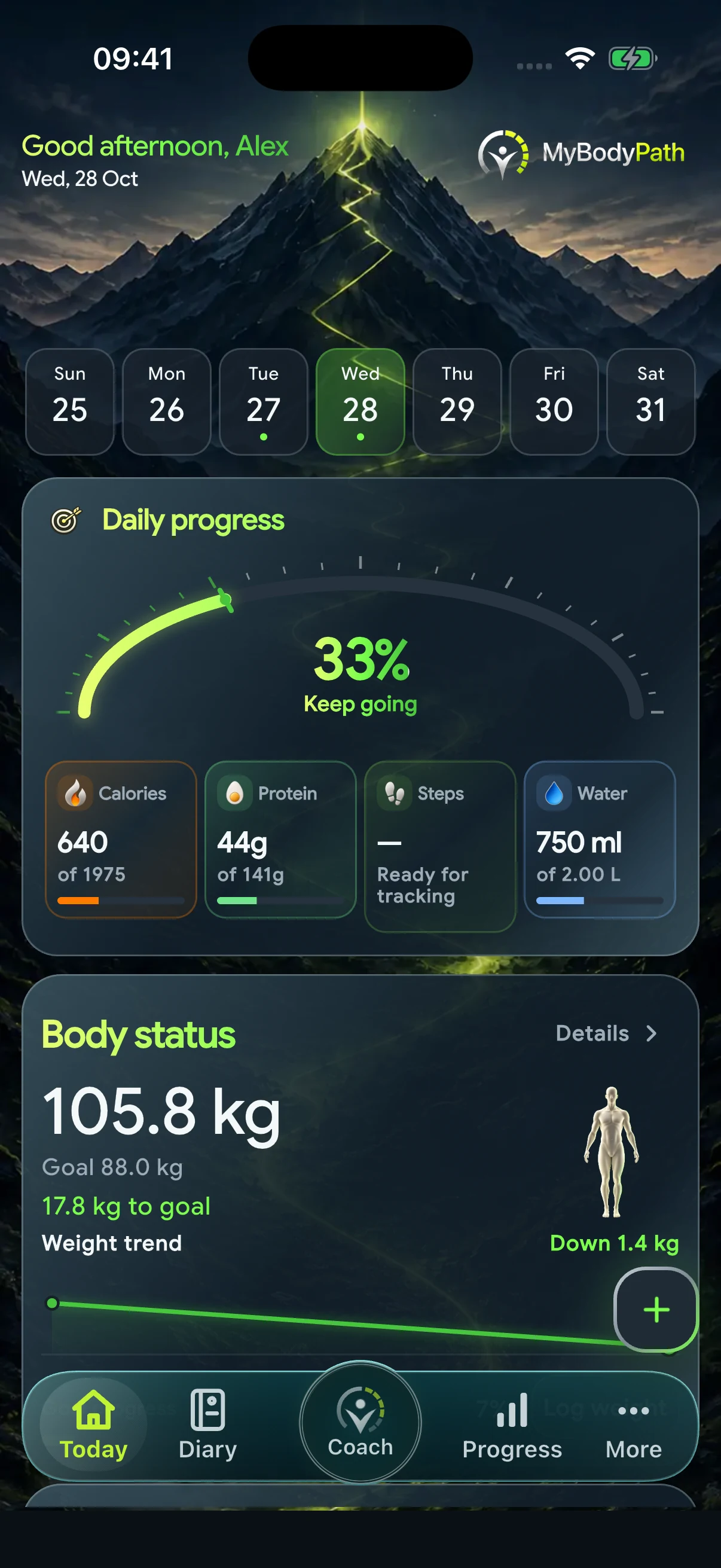
You open MyBodyPath after dinner and the food total looks lower than expected. Before deciding what it means, check the date and the entries behind it. Lunch might be missing, or you may be looking at yesterday. The overview is a view of your records, not an independent observation of everything you did.
Today puts food, movement and body progress together so you can decide where to look next. Start with a question you can answer: “Have I recorded dinner?” is more useful here than “Was today a good day?”
Look behind a total
Open the relevant area and review the individual records. For food, check the name, quantity, unit and meal. A portion entered in grams is different from a serving; a repeated entry can change the daily total even when the underlying food is correct.
For example, if you ate a bowl of yoghurt and fruit, confirm that both foods are represented and that the quantities match what you ate. Do not add another complete breakfast simply because the overview looks unfamiliar. Check the existing entry first.
Missing is different from zero
A device reading, a manual measurement and a saved food entry have different sources. Read the source and availability labels instead of treating every empty area as a zero. A missing step reading does not prove that you did not walk. A food without a supplied nutrient value does not prove that the nutrient is absent.
If a connected value is unavailable, check the relevant connection or permission in the app and device settings. Avoid entering a second record solely to fill the screen: understand what the existing data represents first.
Use context when checking progress
One daily overview cannot tell the whole story. When reviewing a body measurement, check its date and unit before comparing it with another entry. When reviewing a workout, look at the recorded session rather than assuming a daily summary describes its intensity or quality.
Use the progress and workout areas for the detail they hold. Today is the starting point that brings you to them; it is not a diagnosis, a fitness assessment or a reason to make a large change based on one number.
Finish with one useful action
Correct a quantity, add a meal you genuinely missed, or open the record you want to understand. Then leave the overview alone until you need it again. There is no benefit in making a complete-looking dashboard out of guessed information.
A short routine is enough: correct date, accurate entries, clear source, next action. If you cannot explain a value, keep the uncertainty visible and use Support to ask about the feature without sending private health details.
An app guide, not individual medical or nutrition advice.
Back to the blog