
Coach can prepare a suggestion. You review it and choose what to save.
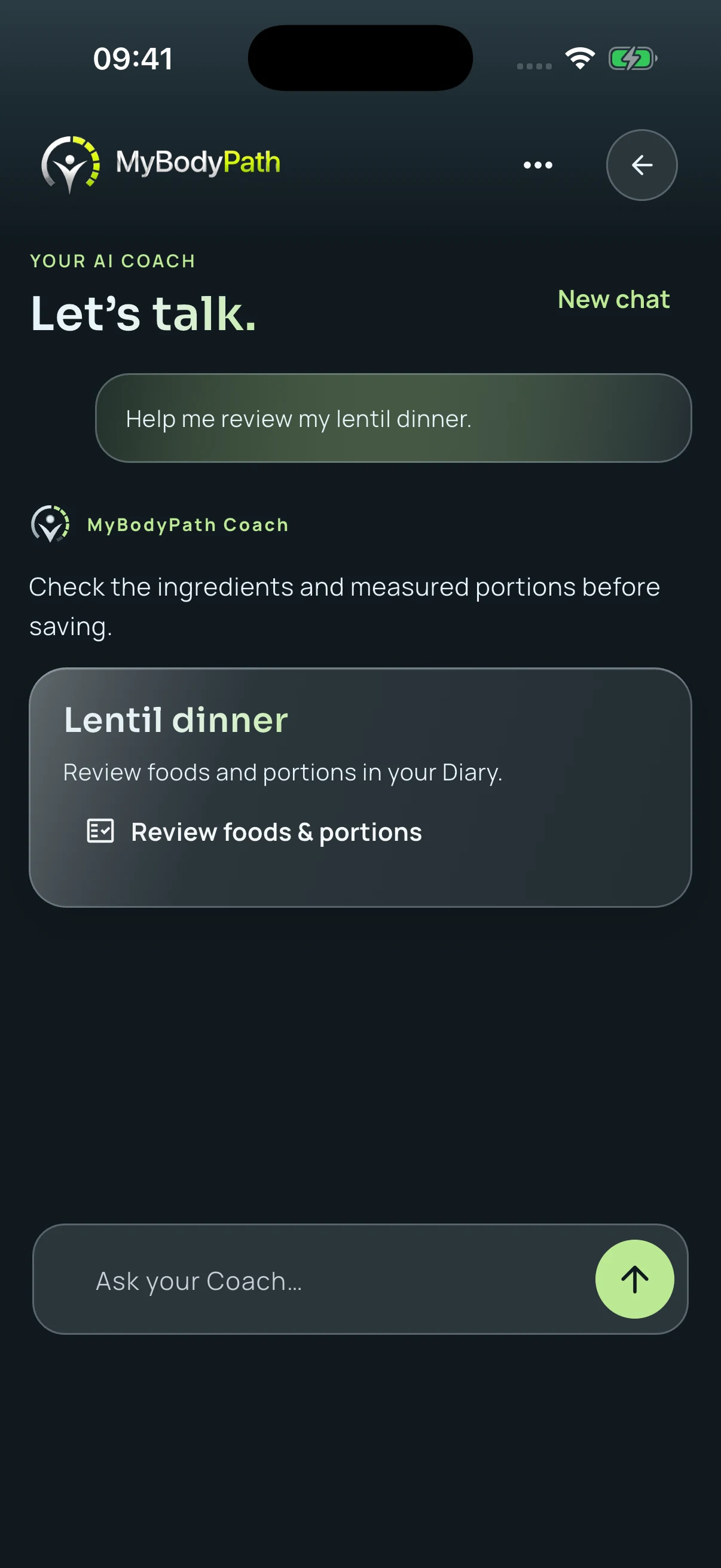
Give the conversation a clear job
Start with one decision you are trying to make. “I have lentils, tomatoes and rice. Help me think through dinner” gives Coach something concrete to work with. Include relevant preferences and the information you actually know. You do not need to ask it to reorganise your whole routine.
A useful first exchange may simply help you narrow an option or spot a detail you have not considered. Coach requires eligible access and an internet connection; this guide describes the workflow, not a promise that AI access is included in every package.
Correct the details before continuing
Read the answer as a suggestion that can be incomplete or wrong. If Coach assumes an ingredient, portion or preference that does not match your meal, correct it explicitly. “That was cooked rice, not dry rice” is a meaningful correction. So is “I used half that amount.”
Do not fill gaps with numbers simply because an answer sounds confident. When a portion is not known, say so. When nutrition is missing, check a reliable product label or source rather than treating an unknown value as zero.
Separate an idea from a food entry
Talking about dinner is not the same as recording what you ate. A suggested meal may change while you cook: you might replace an ingredient, leave out a sauce or serve a different amount. Review the actual food before deciding whether a proposed entry belongs in the Diary.
The same principle applies to Voice logging and Meal Scan. Speech and photographs can help prepare a draft, but they do not remove the need to check foods, quantities and units. An attractive result card is not evidence that every detail is correct.
Review, then choose whether to save
Before adding a draft, check the food names, quantities, meal and date. Confirm that an entry for the same food is not already present. Save only when the draft represents what you want in the Diary; otherwise edit it or leave it unsaved.
MyBodyPath keeps that decision with you. A chat message alone does not authorize a food entry. After saving, open the Diary and confirm the result instead of assuming that a conversational reply is proof of a saved meal.
Know where the conversation ends
Coach is a product feature, not a clinician. Do not use it to diagnose symptoms, change medication or replace advice from a qualified professional. If a suggestion conflicts with advice given for your circumstances, take the question to the person responsible for that care.
For ordinary app use, a productive conversation is often brief: a focused question, a correction if needed, and a decision you understand. You remain free to reject the suggestion entirely.
An app guide, not individual medical or nutrition advice.
Back to the blog